Pace × accuracy
GM Path for iPhone
Track your pace, accuracy, and match trends.
Create your Highlights. Get answers from Major Mike.
01 / Metrics
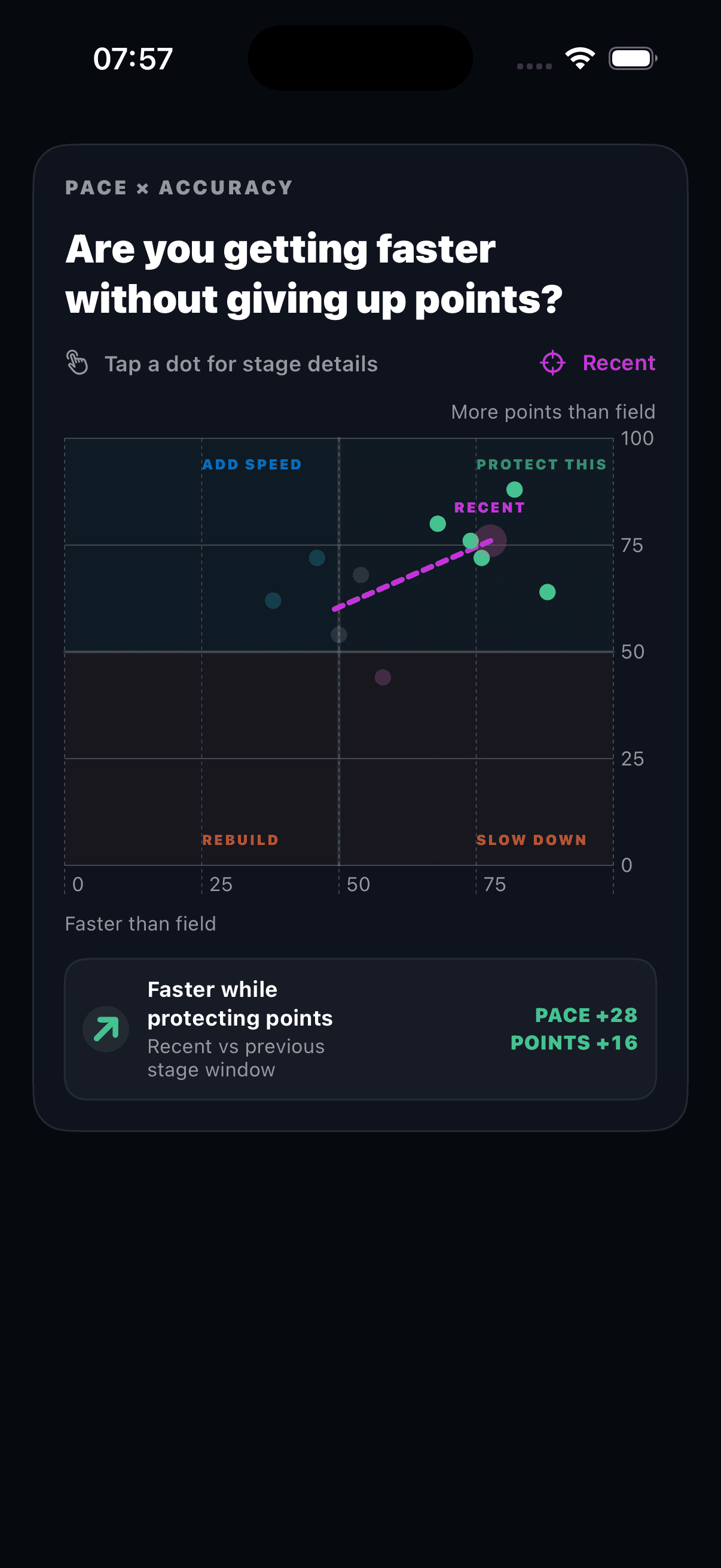
These captures come from the running iOS app. Each graph stays tied to the match and stage records behind it.
Pace × accuracy
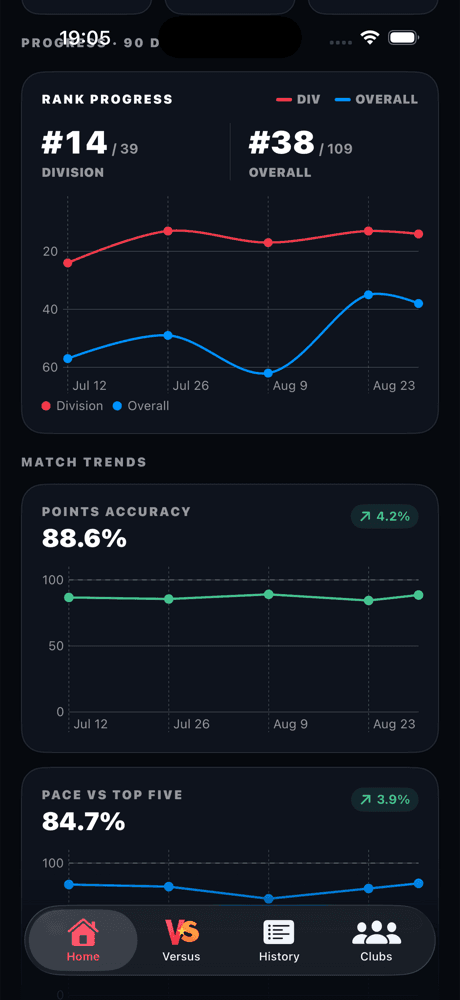
Match trends
02 / Highlights
Turn your match footage into a video worth sharing. Add shot times, stage results, and your own style. All on your iPhone.

24 A · 4 C · 0 D · 0 M
Bring a video from Photos or Files into Highlights.
Review shot timing. Choose your Stage style. Add a Hit Factor bar to a scored stage.
Save your finished highlight to Photos or share it from your iPhone.
03 / Major Mike Preview
Ask a question in your own words. Mike brings your match history, stage results, and comparisons into one conversation.
Also ask about upcoming matches, registration dates, and import status.
Illustrative example · sample data
Which stage cost me the most match points?
Major Mike
Stage 2 accounts for the largest gap to the stage winner. Start your review there, then check the scorecard for points, penalties, and time.
See where the gap opened. Ask a follow-up to explore the stage behind it.
Explore sample questions here. Chat with Mike in the iPhone app when available.
Answers and charts link back to match and stage records. Missing data stays visible.
Go from a match debrief to a stage comparison in the same chat.
Reopen saved conversations with their answers and charts. Delete a chat when you choose.
Feature preview. Major Mike is in development and is not yet available in the public iOS release.
What the app does
GM Path stores each result with its stage data on your iPhone. The analysis stays tied to those records, so you can check where each number came from.
Choose the clubs you shoot with. GM Path checks those clubs for your results, so you do not paste PractiScore links.
GM Path stores the match and its stage data on your iPhone. The source record stays with the analysis.
Preview Major Mike: ask for a match debrief, compare shared results, or explore your history with charts and source records.
Use the weakest stage and the measured gap to decide what belongs in the next practice session.

Why we are building it
If GM Path cannot point to a match, stage, or calculation, it should not make the recommendation.